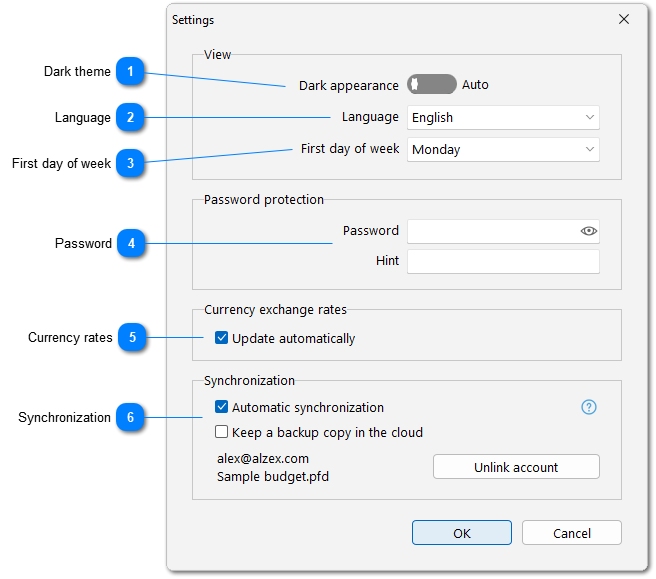
Our accounting software was translated to many languages and you can choose any of them. Since the program is translated by users on their own, you may see incomplete or incorrect translation to some languages. We would appreciate if you could send updated or corrected translation. Click button to update translation and share it with the developers.
These settings have significant effect on the program's operation.
- Take into account uncleared transactions. If this option is disabled, uncleared transactions will not affect the balance or totals, as if they did not exist.
- Use historical exchange rates in calculations. If this option is enabled, all currency conversions will be performed using the exchange rate on the transaction date. The balance graph will reflect not only expenses and income, but also changes in the value of assets: foreign currency, gold, cryptocurrencies, etc. Exchange rates must be loaded at least for the start date of accounting.
 Русский
 Español
 Português
 Italiano
 Deutsch
 Français
 English


 to update translation and share it with the developers.


